
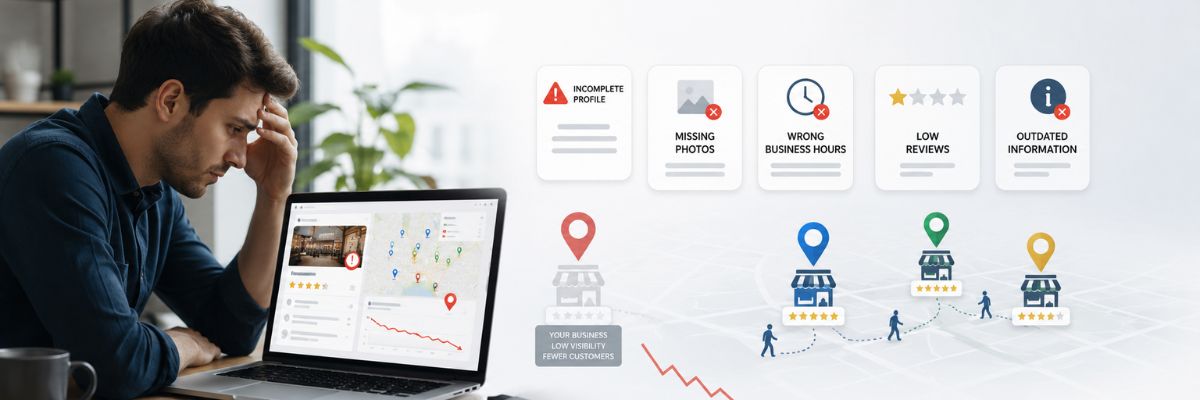
Google business profile mistakes can quietly reduce your local visibility and make potential customers choose competitors instead of your business.
Your Google Business Profile is often the first interaction customers have with your company before visiting your website or making contact. When someone searches for a contractor, plumber, dentist, restaurant or local service provider they usually compare multiple businesses directly on Google Search and Google Maps.
A complete and trustworthy profile helps customers understand your services, business information and reputation. However many businesses create a profile once and never properly maintain it.
Small issues like missing services, incorrect categories, outdated photos or ignored reviews can create a weaker customer experience.
This guide explains the most common Google Business Profile problems, why they happen and practical steps businesses can take to improve their online presence.
What Are Google Business Profile Mistakes?
Google Business Profile mistakes are errors or missing optimization steps that prevent your profile from providing the best possible information to customers.
These mistakes usually happen because business owners focus only on creating a profile instead of maintaining and improving it over time.
Common problems include:
- Incomplete business information
- Wrong business categories
- Poor service descriptions
- No review management process
- Outdated business photos
- No regular profile updates
- Inconsistent business details online
Google Business Profile Optimization focuses on fixing these issues by creating a more complete, accurate and helpful profile experience.
The goal is not only improving search visibility. The goal is helping potential customers quickly understand why your business is relevant to their needs.
Why Avoiding Google Business Profile Mistakes Matters
A Google Business Profile works like your online storefront.
Before customers call your company they often check your photos, reviews, services and business details.
A poorly maintained profile can create questions like:
- Is this business still active?
- Do they provide the service I need?
- Can I trust this company?
- How can I contact them?
Reducing these concerns creates a better customer experience.
A strong profile can support:
- Better Google Maps visibility
- More customer confidence
- Higher profile engagement
- Stronger local search presence
Businesses that want to understand How to Rank Higher on Google Maps should start by removing common profile issues and improving trust signals.
Common Google Business Profile Mistakes To Avoid
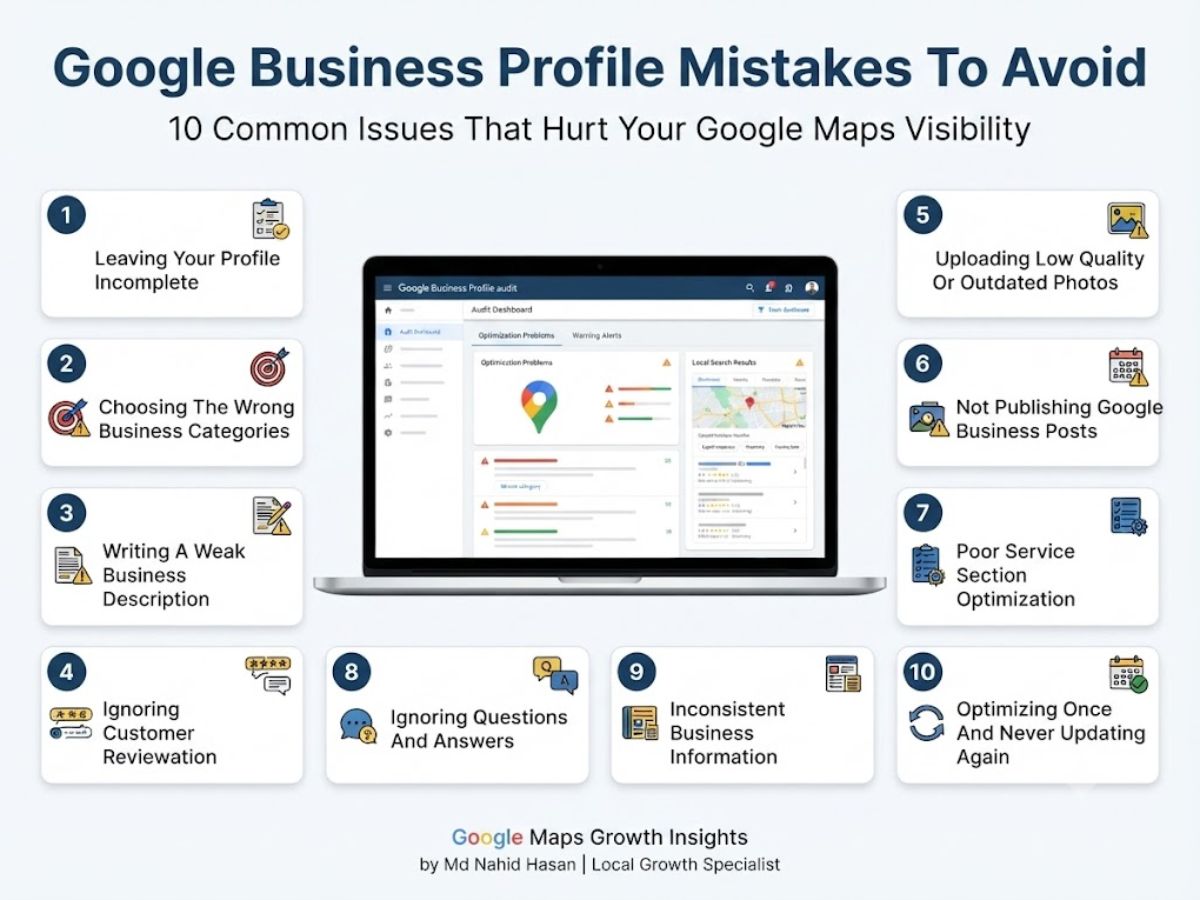
Many businesses lose opportunities because of simple issues that can be fixed with proper Google Business Profile Management.
Here are the biggest mistakes to review.
1. Leaving Your Profile Incomplete
An incomplete profile is one of the most common problems affecting local businesses.
Customers expect accurate information when they discover your company online. Missing details can create uncertainty and reduce trust.
Common incomplete areas:
- Business hours
- Website URL
- Services
- Products
- Business description
- Attributes
- Contact details
Why It Hurts
If your profile does not clearly explain your business Google and potential customers have less information to understand your services.
For example a contractor with no service descriptions may lose customers because visitors cannot confirm whether the company handles their specific project.
How To Fix It
- Complete every available profile section
- Review information regularly
- Add detailed services
- Keep hours updated
- Make contact options easy to find
2. Choosing The Wrong Business Categories
Your Google Business Profile categories help explain what your company does.
Selecting incorrect categories is one of the most damaging Google business profile mistakes because it affects relevance.
Your primary category should represent your main service.
Example:
A plumbing company should choose a plumbing-related category instead of a general home service category.
A restaurant should choose the most accurate food-related category available.
How To Choose Better Categories
- Research similar successful businesses
- Choose the closest primary category
- Add relevant secondary categories
- Avoid categories unrelated to your services
3. Writing A Weak Business Description
Your business description helps customers quickly understand your company.
Many businesses either write a very basic description or overload it with repeated keywords.
Common Problems:
- Only talking about the company
- No clear service explanation
- No customer value
- Keyword stuffing
- Generic wording
Better Approach:
A helpful description explains:
- Who you help
- What services you provide
- Your experience
- Your business value
- How customers benefit
Write for people first. Search engines are becoming better at understanding useful information and natural language.
4. Ignoring Customer Reviews
Customer reviews are one of the strongest trust signals on your Google Business Profile.
Many businesses focus on getting new customers but forget to manage the experiences shared by existing customers.
Ignoring reviews can make your business appear inactive and less engaged compared with competitors.
Common Review Management Problems:
- Not responding to customer reviews
- Only replying to positive feedback
- No process for collecting reviews
- Ignoring customer concerns
Why It Hurts
Customers often read reviews before contacting a business. They want to see real experiences and how companies communicate with their customers.
A business with active review management can create a stronger impression because potential customers see engagement and professionalism.
How To Fix It
- Ask satisfied customers for honest reviews
- Respond professionally to all feedback
- Create a simple review request process
- Use feedback to improve customer experience
A strong Review Management strategy supports trust building and long-term Local SEO growth.
5. Uploading Low Quality Or Outdated Photos
Photos influence how customers judge your business before making contact.
One of the most common google business profile mistakes is uploading a few images during setup and never adding new visuals again.
Your images should represent your current business quality and customer experience.
Common Photo Problems:
- Using generic stock images
- No recent photos
- Poor quality images
- Not showing real services
- Missing team or project photos
How To Improve Your Photos
- Upload high quality images consistently
- Show real business activity
- Add project examples
- Share customer experience visuals
- Keep photos updated
For contractors, restaurants and service businesses authentic images help potential customers understand your work quality.
6. Not Publishing Google Business Posts
Google Posts allow businesses to share helpful information directly through their profile.
Many companies ignore this feature and miss opportunities to educate potential customers.
Posts can help communicate:
- Business updates
- Helpful tips
- Service information
- Project highlights
- Company news
Better Google Posts Strategy:
Create content that answers customer questions instead of only promoting offers.
Examples:
- A plumber explaining maintenance tips
- A dentist sharing care advice
- A contractor showing completed projects
Consistent Google Posts Optimization keeps your profile active and helpful for visitors.
7. Poor Service Section Optimization
Your services section helps customers understand exactly what your company provides.
A common mistake is adding service names without useful descriptions.
Weak Service Example:
Home Repair
Better Approach:
Explain what the service includes, who it helps and why customers need it.
A complete service section supports better customer understanding and stronger Local Search Optimization.
Improve Your Services By:
- Adding all important services
- Writing unique descriptions
- Matching customer search intent
- Updating services when your business changes
8. Ignoring Questions And Answers
The Q&A section is a valuable area many businesses forget.
Potential customers usually have questions before choosing a company.
Useful Questions To Answer:
- What areas do you serve?
- How can customers contact you?
- What services do you provide?
- How does your process work?
Answering questions early improves customer experience and provides helpful information about your business.
9. Inconsistent Business Information
Your business information should remain consistent everywhere customers find you online.
Incorrect details across websites and directories can create confusion.
Important Information To Check:
- Business name
- Address details
- Phone number
- Website URL
- Business categories
Consistent information supports stronger trust signals across your online presence.
A Google Business Profile Audit can help identify incorrect details and areas that need improvement.
10. Optimizing Once And Never Updating Again
Google Business Profile Optimization is not a one-time task.
Businesses change, competitors improve and customer expectations continue evolving.
A profile created years ago may no longer represent your current services or business quality.
What To Review Regularly:
- Business information
- Service descriptions
- Photos
- Reviews
- Google Posts
- Customer interactions
Ongoing Google Business Profile Management helps businesses maintain accuracy and create a better experience for potential customers.
How To Fix Google Business Profile Mistakes
Fixing Google Business Profile mistakes starts with reviewing your profile from a customer perspective.
A successful profile should clearly explain your business, services and why customers should trust you.
Small improvements across multiple areas can create a stronger foundation for Google Maps SEO and long-term local search growth.
Perform A Complete Google Business Profile Audit
A Google Business Profile Audit helps identify missing information, weak areas and optimization opportunities.
Review:
- Business categories
- Contact information
- Services
- Photos
- Reviews
- Business description
- Customer interactions
An audit helps businesses understand what needs improvement instead of making random changes.
Improve Your Category And Service Strategy
Your categories and services should accurately represent what your business provides.
Review competitor profiles, customer searches and your main business goals before making updates.
Focus on relevance instead of adding unrelated options.
Create A Review Management Process
Customer reviews are important for building trust and improving customer confidence.
Create a simple process that encourages genuine feedback after a positive customer experience.
Always respond professionally and use feedback to improve your service quality.
Keep Your Profile Active
An active profile provides fresh information for customers.
Maintain consistency with:
- New business photos
- Helpful Google Posts
- Updated services
- Review responses
- Accurate business details
Google Business Profile Optimization Best Practices
A strong Google Business Profile Optimization strategy focuses on helping customers first.
The best profiles are complete, accurate and regularly maintained.
Focus On Accurate Information
Customers depend on your profile details before contacting your business.
Keep your hours, services and contact information updated everywhere your business appears online.
Create Helpful Content
Your profile should answer customer questions and explain your services clearly.
Use Google Posts, descriptions and Q&A sections to provide useful information.
Build Trust Over Time
Trust is created through consistent customer experiences.
Improve trust signals through:
- Professional photos
- Customer reviews
- Helpful responses
- Complete information
- Consistent updates
Frequently Asked Questions About Google Business Profile Mistakes
What are common Google Business Profile mistakes?
The most common Google Business Profile mistakes include incomplete information, incorrect categories, weak descriptions, ignored reviews, outdated photos and lack of regular updates.
Why is my Google Business Profile not performing?
Your profile may not perform well because of missing information, weak optimization, limited customer engagement or strong competition in your market.
How often should I update my Google Business Profile?
Businesses should review their profile regularly. Adding photos, publishing posts and responding to reviews helps maintain an active presence.
Can wrong categories affect Google Maps ranking?
Business categories help Google understand your services. Choosing inaccurate categories can affect relevance and make it harder to reach the right customers.
Do photos and reviews improve Google Business Profile performance?
Photos and reviews help customers evaluate your business. They improve trust and create a better profile experience for potential customers.
What does a Google Business Profile audit include?
A Google Business Profile audit reviews important areas like categories, services, descriptions, photos, reviews, business information and optimization opportunities.
Final Thoughts
Avoiding Google business profile mistakes is an important step toward building a stronger local online presence.
Small issues such as missing information, outdated content or ignored customer interactions can influence how potential customers view your company.
Successful businesses focus on accuracy, consistency and customer experience.
Regular improvements combined with Google Maps SEO and Local SEO Services create a stronger foundation for sustainable local growth.
About The Author
Md Nahid Hasan is a Google Business Profile and Local SEO Specialist helping businesses improve Google Maps visibility, local search performance and sustainable online growth.
He focuses on Google Business Profile Optimization, Google Maps SEO and Local SEO strategies that help businesses build stronger online visibility.
Want results like this for your business?
I'll review your current search presence and tell you exactly what's holding you back — no obligation, no fluff.
Get My Free SEO Audit