
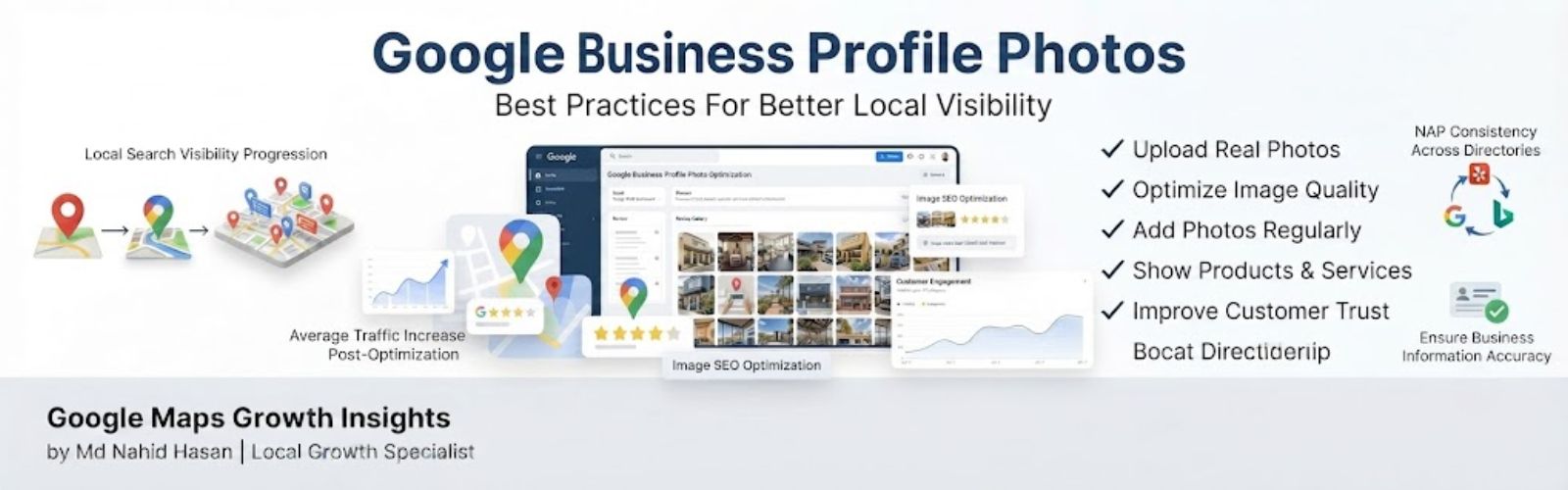
Google Business Profile Photos are an important part of building trust, improving customer experience and creating a stronger local search presence.
When potential customers find your business on Google Search or Google Maps they often look at your images before reading every detail of your profile.
High quality photos help customers understand your business, see your work and feel more confident before contacting you.
Many small businesses create a Google Business Profile but forget to maintain their images. They upload a few photos during setup and never update them again.
This guide explains how Google Business Profile Photos work, why they matter and the best practices businesses can follow to create a stronger profile experience.
What Are Google Business Profile Photos?
Google Business Profile Photos are images added to your business listing that show customers important information about your company.
These images appear across your Google Business Profile, Google Search results and Google Maps listing.
They help potential customers visually understand:
- Your location
- Your services
- Your products
- Your team
- Your customer experience
- Your completed work
For local businesses photos work like a digital first impression.
A customer comparing two businesses may feel more comfortable contacting the company that shows real images and active updates.
Do Google Business Profile Photos Help Rankings?
Many business owners ask whether uploading photos directly improves Google Maps ranking.
The answer requires understanding how local search works.
Photos are part of creating a complete and helpful Google Business Profile experience. They can support important factors like customer engagement, trust and profile quality.
Google Maps SEO depends on many different signals including:
- Business relevance
- Distance
- Prominence
- Profile information
- Customer interactions
- Reviews
- Website signals
Photos alone do not guarantee higher rankings but strong visual content can help customers interact with your business more confidently.
Why Google Business Profile Photos Matter For Local Businesses
Local customers usually want proof before choosing a company.
They want to know if your business looks professional, trustworthy and capable of solving their problem.
This is why image optimization should be part of every Google Business Profile Optimization strategy.
Build Better First Impressions
Your photos may be one of the first things customers notice.
A profile showing recent and professional images creates a stronger impression compared with outdated visuals.
Examples:
- A contractor showing completed projects
- A restaurant showing food quality
- A dentist showing a clean clinic
- An auto repair shop showing real workshop photos
Increase Customer Trust
Real photos help customers understand who they are contacting.
Showing your team, workplace and services creates transparency.
People often prefer businesses that feel active and authentic.
Create A Better Profile Experience
A complete profile answers customer questions before they call.
Photos can help show:
- What your business looks like
- What customers can expect
- The quality of your work
- Your professional approach
Google Business Profile Photo Types Every Business Should Upload
Different types of photos help tell a complete story about your business.
Instead of uploading random images focus on photos that help customers make decisions.
1. Exterior Business Photos
Exterior photos help customers recognize your physical location.
This is especially useful for businesses where customers visit directly.
Examples include:
- Building entrance
- Storefront
- Office location
- Business signs
Clear exterior images reduce confusion and improve customer experience.
2. Interior Photos
Interior images show what customers can expect when visiting your business.
They help demonstrate professionalism and create familiarity.
Useful interior photos include:
- Reception areas
- Workspaces
- Customer areas
- Equipment
3. Team Photos
People connect with people.
Team photos make your business feel more approachable and trustworthy.
Examples:
- Staff members
- Team working
- Professional portraits
- Customer service moments
4. Product Photos
Product photos help customers understand exactly what your business offers.
Restaurants, retailers and product-based businesses should keep these images updated.
5. Service Photos
Service photos are extremely useful for contractors and local service companies.
Show examples like:
- Before and after projects
- Work process
- Completed jobs
- Service results
6. Customer Experience Photos
Customer experience photos show the real environment around your business.
They help demonstrate activity and make your profile feel more authentic.
Google Business Profile Photos Best Practices
Uploading images without a strategy is one of the most common mistakes businesses make.
A strong Google Business Profile Photos strategy focuses on quality, consistency and customer experience.
Your goal should be helping potential customers understand your business before they decide to call, visit or request your service.
Upload High Quality Images
Quality matters because your images represent your business reputation.
Blurry, dark or unclear photos can create a negative impression before customers even contact you.
Use images that clearly show your:
- Business location
- Team members
- Services
- Products
- Completed projects
- Customer experience
Professional-looking images help build confidence and create a better first impression.
Upload Photos Consistently
A common mistake is uploading photos once and forgetting about them.
Businesses change over time and your Google Business Profile should represent your current activity.
Regular photo updates can show customers that your company is active.
Examples:
- New completed projects
- Recent team photos
- Updated workplace images
- New products
- Business events
Consistency is an important part of long-term Google Business Profile Management.
Use Real Business Photos
Authenticity matters in local search.
Generic stock images usually do not represent your actual customer experience.
Real photos help people understand what makes your business different.
Instead of stock photos use:
- Real team pictures
- Actual customer areas
- Completed work examples
- Behind-the-scenes images
Customers usually want to see the real business they are considering.
Optimize Image File Names
Image SEO starts before uploading your photos.
Instead of using random file names create descriptive names that explain the image.
Example:
Weak file name:
- IMG_4829.jpg
Better file name:
- plumbing-repair-service-dallas-texas.jpg
A descriptive file name provides better context about the image topic.
Add Relevant Image Information
Images should support your overall local search strategy.
Make sure uploaded photos match your:
- Business category
- Services
- Location relevance
- Brand identity
Every image should have a purpose and provide helpful information for customers.
Common Google Business Profile Photo Mistakes
Even simple Google Business Profile Photo Mistakes can reduce the quality and trust level of your business profile.
Review these common problems when managing your images.
Uploading Low Quality Images
Poor quality images can make a professional business look less reliable.
Avoid uploading:
- Blurry photos
- Dark images
- Pixelated pictures
- Unclear screenshots
Using Unrelated Photos
Every image should represent your actual business.
Uploading unrelated images can confuse customers about what services you provide.
Never Adding New Photos
An outdated profile may make customers question whether a business is still active.
Create a simple schedule to update your images regularly.
Using Only Stock Images
Stock images can look professional but they do not show real experience.
Original business photos usually create stronger trust with local customers.
Ignoring Branding
Your photos should create a consistent business identity.
Think about:
- Professional appearance
- Brand colors
- Image quality
- Customer perception
Uploading Misleading Images
Photos should accurately represent your company.
Misleading images can create customer disappointment and reduce trust.
Google Business Profile Photo Ideas By Industry
Different businesses need different types of images.
The best photos answer customer questions and show what makes your company trustworthy.
Contractors
Recommended photos:
- Before and after projects
- Completed work
- Team working on location
- Tools and equipment
- Project process images
Restaurants
Recommended photos:
- Popular food items
- Dining area
- Kitchen quality
- Team photos
- Customer experience
Dentists
Recommended photos:
- Clinic environment
- Professional team
- Equipment
- Reception area
- Patient experience areas
Real Estate Businesses
Recommended photos:
- Properties
- Office photos
- Agent photos
- Community images
- Client experience moments
Auto Repair Shops
Recommended photos:
- Workshop
- Repair process
- Team working
- Equipment
- Completed repairs
The right images help customers understand your service quality before making a decision.
How Photos Work With Google Maps SEO
Photos are one part of a complete Google Maps SEO strategy.
While images alone do not guarantee rankings they help create a better user experience and a stronger Google Business Profile.
Businesses that want to understand How To Rank Higher On Google Maps should focus on multiple optimization areas working together.
A complete strategy includes:
- High quality Google Business Profile Photos
- Correct business categories
- Detailed service information
- Customer reviews
- Google Business Profile posts
- Website optimization
- Local citation consistency
Photos help customers visually understand your business while other optimization signals help build stronger relevance and trust.
Google Business Profile Photo Optimization Checklist
Use this checklist when improving your business images:
- Upload real business photos
- Use clear high quality images
- Add new photos consistently
- Show your services and products
- Include team and workplace photos
- Remove outdated images
- Avoid generic stock images
- Use descriptive image file names
- Maintain consistent branding
- Review photo performance over time
Following these steps helps create a stronger Google Business Profile Optimization process.
Frequently Asked Questions About Google Business Profile Photos
How many photos should I add to Google Business Profile?
There is no perfect number for every business. Focus on adding enough photos to clearly show your location, team, services and customer experience.
Do Google Business Profile photos improve ranking?
Photos support your profile quality, customer trust and engagement. They should be used together with reviews, categories, services and other Local SEO strategies.
How often should I upload GBP photos?
Businesses should update photos regularly when they have new projects, products, team updates or business changes.
Should I use stock photos on Google Business Profile?
Real business photos are usually better because they show authenticity and help customers understand your actual experience.
What size should Google Business Profile photos be?
Use clear high resolution images that properly show your business. Avoid blurry, stretched or low quality images.
Are geo tagged photos important for GBP?
Geo tagged photos can provide additional image information but businesses should focus first on useful, authentic and high quality photos.
Final Thoughts
Google Business Profile Photos are more than simple images. They help customers understand your business before making a decision.
The best approach is uploading real, helpful and consistent images that represent your services accurately.
Photos work best when combined with strong Google Maps SEO, customer reviews, optimized categories and helpful business information.
A customer-focused image strategy helps create a more trustworthy local presence and better experience for potential customers.
About The Author
Md Nahid Hasan is a Google Business Profile and Local SEO Specialist helping businesses improve Google Maps visibility, local search performance and sustainable online growth.
He specializes in Google Business Profile Optimization, Google Maps SEO and Local SEO strategies designed to help businesses build stronger online visibility.
Want results like this for your business?
I'll review your current search presence and tell you exactly what's holding you back — no obligation, no fluff.
Get My Free SEO Audit